
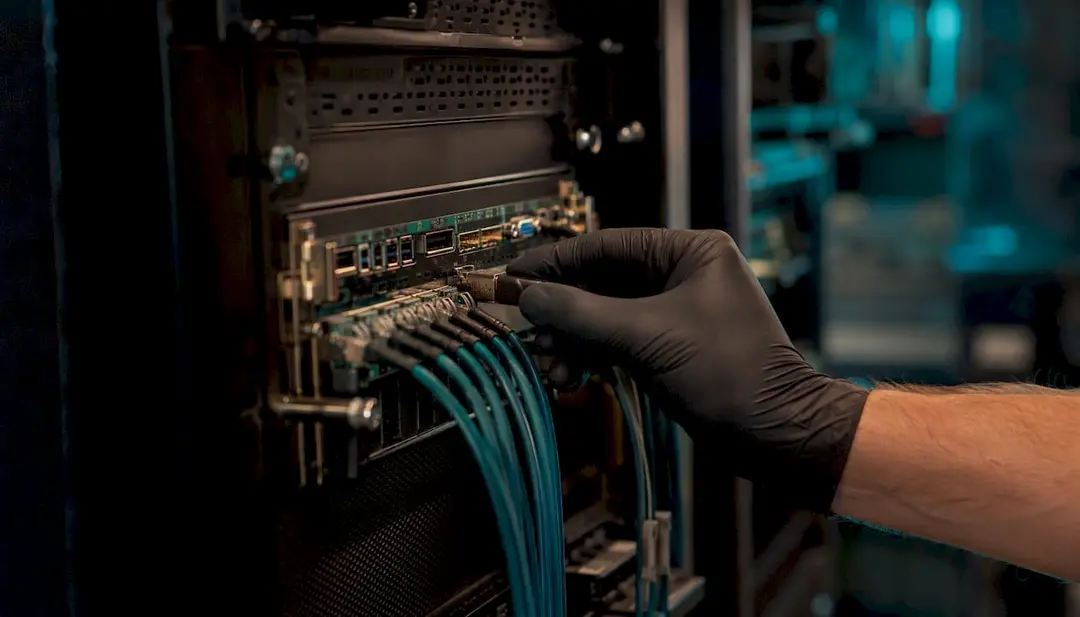
Out-of-band management (OOB) provides a route to administer infrastructure when the production network or operating system is unavailable. Used well, it can shorten recovery time, reduce unnecessary site visits and give authorised teams controlled access to power, console and hardware-health functions. Used badly, it creates a privileged path beneath the operating system that an attacker may be able to exploit.
For UK infrastructure teams, the central design principle is simple: treat the management plane as a sensitive production system in its own right. Separate it from normal business traffic, restrict and strongly authenticate access, maintain its firmware and certificates, record administrative activity, and test recovery procedures under change control.
Key takeaways
-
OOB access should not be directly exposed to the public internet or made broadly reachable from user and production networks.
-
Redfish offers a modern, standardised management API, but it is not secure merely because it uses HTTPS. Firmware, configuration, authentication, authorisation and network design still matter.
-
Legacy IPMI may need to remain on older equipment. Where it cannot be removed, isolate it, disable unnecessary services and insecure options, patch where supported, and restrict access to approved management paths.
-
Power operations, virtual media and firmware changes require asset-specific runbooks, approvals and rollback planning. A generic timer is not a safe substitute for application knowledge.
-
Monitoring, BMC patch management, incident response and overnight engineering response can form part of a contracted service. Availability and response times must be written into the agreed scope and SLA.
What is out-of-band management?
In-band administration uses the same operating system and network paths as the service being managed. Examples include SSH, RDP, monitoring agents and many forms of SNMP polling. If the host has crashed, a network change has removed the route, or the operating system cannot boot, those tools may be unavailable.
OOB management uses a separate administrative path. On a server this is usually provided by a baseboard management controller (BMC), such as Dell iDRAC or HPE iLO. Networks and other appliances may expose serial-console access through a console server, while remote sites may add a separately controlled cellular path for use when the primary WAN is down.
Depending on the platform, licence and configuration, an authorised operator may be able to:
-
view hardware health, event logs and sensor information;
-
open a remote console before the operating system starts;
-
request a graceful shutdown or, where authorised, control power;
-
mount approved virtual media for recovery or deployment;
-
review or change selected BIOS, UEFI and controller settings; and
-
update BMC, BIOS or component firmware during an approved maintenance window.
Capabilities vary by hardware generation and licence. They should be confirmed against the exact model and current vendor documentation rather than assumed from the product family name.
Why the management plane needs special protection
A BMC operates below the host operating system and often remains available while the server itself is powered down, provided the required standby power is present. That independence is what makes OOB valuable during an outage. It also makes the interface highly privileged: BMC access may permit power changes, console observation, virtual-media attachment and configuration changes that endpoint security software cannot govern.
The UK National Cyber Security Centre advises organisations to separate management traffic from business traffic, authenticate management interfaces, protect management traffic in transit and audit management commands and configuration changes. Its systems-administration guidance also explains the value of dedicated administrative devices and segregated management networks.
Practical rule: if compromise of an interface could let someone control a server before the operating system starts, include that interface in the organisation's privileged-access, vulnerability-management and incident-response arrangements.
BMCs, IPMI and Redfish
Baseboard management controllers
A BMC is the embedded management computer used for functions such as sensor monitoring, event logging, remote console and power control. Dell iDRAC, HPE iLO and management controllers supplied with platforms from Lenovo, Supermicro and other manufacturers are vendor implementations of this general function.
IPMI
The Intelligent Platform Management Interface remains common across older and current equipment. Its age and the security weaknesses found in some implementations mean it should not be placed on an untrusted network. Risk depends on the specific controller, firmware, enabled cipher suites and services, account configuration and network exposure.
Where IPMI must remain, use the vendor's current supported firmware where available, remove default and unused accounts, disable unnecessary services and insecure options, limit source addresses, and make the interface reachable only through an approved management route. Older platforms that cannot meet the required security baseline may need additional compensating controls or replacement.
Redfish
Redfish is a DMTF standard that uses RESTful interfaces and structured data for systems management. It can improve consistency and automation across supported platforms. Dell documents Redfish support in iDRAC, and HPE publishes generation-specific Redfish documentation for iLO.
Redfish should not be treated as an automatic security upgrade. HTTPS must be configured correctly; certificates need managing; roles and service accounts require least privilege; sessions and secrets need protection; firmware must remain current; and the interface should still be isolated. Before changing from IPMI to Redfish, validate monitoring, deployment and support-tool dependencies.
| Interface | Typical role | Security considerations |
|---|---|---|
| IPMI | Legacy power and sensor management | Implementation and configuration vary. Isolate it, minimise enabled functions and remove insecure options where the platform permits. |
| Redfish | Standardised API-based management | Supports modern integration patterns, but still requires trusted firmware, TLS, access control, logging and network restriction. |
| Vendor BMC interface | Console, virtual media, lifecycle and hardware management | Features and licences vary by model and generation. Follow the relevant vendor security and update guidance. |
| Console server or KVM-over-IP | Access to network, legacy and mixed-vendor equipment | Secure and patch the appliance, restrict port mappings and administrative access, and log sessions where supported. |
| Cellular OOB gateway | Independent path for a remote location | Use controlled tunnels, strong authentication, managed SIMs and tested failover. Prevent it becoming an unmanaged back door. |
Secure OOB architecture for a UK IT estate

There is no single topology for every estate, but a defensible design normally combines several layers.
Separate management traffic
A dedicated physical network offers strong separation. Where physical separation is impractical, a dedicated logical segment with tightly controlled routing may be appropriate. The correct choice depends on the threat model, operational dependencies and the consequences of compromise.
Broker administrative access
Use an approved management workstation, privileged-access platform, bastion host or jump service appropriate to the environment. Do not allow routine user devices to connect directly to BMC interfaces. Require strong authentication and keep normal web browsing and email away from privileged administrative sessions.
Apply least privilege
Use named accounts where the platform supports them. Separate monitoring-only access from accounts authorised to change configuration, attach media or control power. Store service credentials in an approved secrets-management system and review access when people or suppliers change roles.
Encrypt and audit
Use supported encrypted management protocols and valid certificates. Send available security and operational events to an appropriate logging platform, protect those records from alteration, and make changes traceable to an authorised request and operator.
Control third-party access
Supplier access should be enabled only for the contracted purpose, limited to the required assets and time period, and monitored or recorded as appropriate. The customer should retain the ability to revoke access. Persistent third-party connectivity needs explicit risk assessment rather than being treated as a convenience.
Design recovery paths deliberately
If a cellular or secondary route is required, document who owns it, how it is authenticated, how data usage and subscription status are monitored, and how it is tested. A dormant SIM or expired certificate discovered during an outage is not resilience.
OOB hardening checklist
-
Maintain an inventory of BMCs, console servers, gateways, firmware, licences, addresses, certificates and accountable owners.
-
Confirm that management interfaces are not unintentionally internet-facing.
-
Remove default accounts and credentials; disable unused local accounts and services.
-
Apply least privilege and strong authentication at the approved access point.
-
Restrict management routes and source addresses according to the agreed architecture.
-
Use supported encrypted protocols and trusted certificates.
-
Review vendor security advisories and schedule updates according to risk, support status and change controls.
-
Forward useful authentication, configuration and hardware events to the monitoring or logging service.
-
Protect recovery images and scripts in a controlled repository; verify integrity and restrict who can change or mount them.
-
Review emergency access, supplier access and account ownership regularly.
-
Test console and recovery paths safely, using non-production equipment or approved maintenance windows where disruption is possible.
A safer incident runbook
A universal instruction to hard-power a server after a fixed number of seconds is unsafe. The correct action depends on the workload, cluster design, storage state, recovery objectives and the customer's change and incident processes. A useful runbook therefore defines decision points and authority rather than pretending every system behaves alike.
-
Confirm scope and authority. Identify the asset, business service, incident record, authorised responder and applicable support contract. Confirm whether the SLA includes remote intervention, overnight response or engineer dispatch.
-
Check dependencies. Establish whether the host is clustered, performing storage activity or running a workload that requires an application owner or specialist before power action.
-
Use the approved access path. Connect from the designated administrative environment using the required authentication. Do not bypass access controls for convenience.
-
Gather evidence first. Record current power state, hardware alerts, console output and relevant event logs before making a change, where time and safety permit.
-
Attempt the least disruptive recovery. Follow the platform and application runbook. A graceful shutdown or failover may be appropriate before any forced power action.
-
Escalate before destructive action. A hard power-off, firmware change, boot-order change or virtual-media operation should require the authority defined for that asset and incident severity.
-
Observe the restart. If power action is authorised, open the console in advance and capture relevant POST, controller and operating-system errors.
-
Use recovery media only under change control. Confirm the image source and integrity, backups, data-protection requirements, rollback plan and authorised scope before mounting or reinstalling anything.
-
Record and review. Document actions, times, approvals and outcomes. Preserve relevant logs and create follow-up work for firmware, certificate, routing or hardware issues discovered during the incident.
Testing without creating an outage
Testing frequency should be set by criticality, previous failures, change rate and contractual obligations. A monthly or quarterly calendar may be useful for some estates, but it should not become a blanket instruction to interrupt production.
| Control | Safe evidence |
|---|---|
| Console availability | Authenticate through the approved route and confirm console access without disrupting the workload. |
| Power-control readiness | Validate roles and commands on non-production equipment, or perform a controlled test during an approved maintenance window. |
| Virtual media | Confirm licence, access and trusted image availability; test boot behaviour only where change approval permits it. |
| Secondary connectivity | Test the documented fallback route without exposing management interfaces to untrusted networks. |
| Firmware and certificates | Compare the inventory with vendor advisories, lifecycle status and the organisation's risk-based patch plan. |
| Accounts and logs | Review named, service and emergency accounts; confirm that relevant events reach the agreed logging platform. |
Choosing an operating model
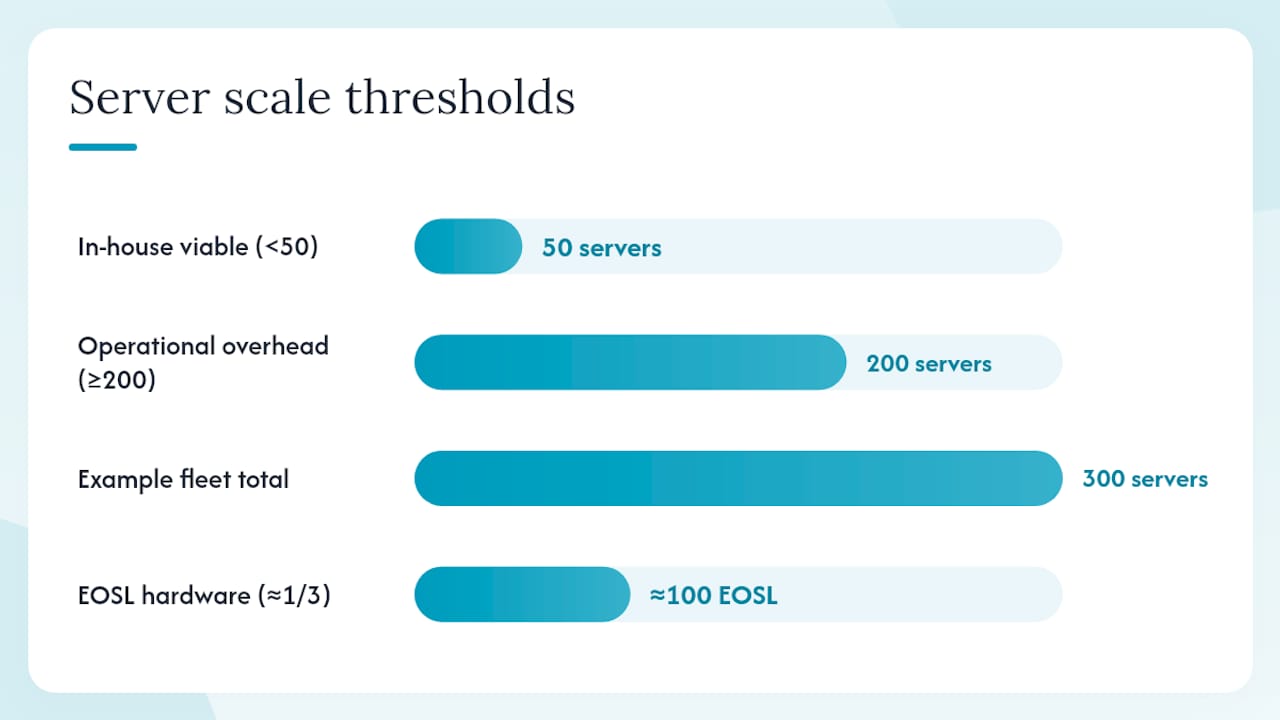
An organisation may operate OOB entirely in-house, retain design authority while contracting selected operational tasks, or procure a broader managed service. Server count alone does not determine the answer. The better questions are:
-
Which assets and sites are in scope, and how critical are they?
-
What skills and coverage already exist internally?
-
Who is authorised to monitor, patch, change configuration or control power?
-
Which hours, response times and escalation paths are genuinely required?
-
What vendor licences, warranties and firmware rights remain available?
-
How will privileged supplier access be granted, recorded and revoked?
-
Which party owns monitoring, incident command, engineer dispatch and resolution?
-
What evidence and reporting will the customer receive?
A hybrid contract can cover defined monitoring, BMC patch management, incident response and on-site engineering while the customer retains policy and change authority. A 24/7 or 2 a.m. response is possible only where the signed service scope, supported assets, access arrangements and SLA provide for it. Without that cover, assistance should not be assumed to be available on demand.
OOB and end-of-service-life hardware
OOB can be particularly useful when diagnosing mature equipment, but EOSL creates additional questions. Firmware or BMC fixes may no longer be supplied; management clients may have browser or cryptographic compatibility issues; replacement system boards may revert configuration; and old interfaces may not meet a current security baseline.
Do not assume that Redfish is available because a server is relatively recent, or that IPMI can be disabled without affecting monitoring and support workflows. Record the exact model, BMC generation, firmware, licence and dependencies. Then decide whether to patch, isolate, apply compensating controls, procure third-party maintenance, or replace the asset.
How Myrmekes can help
Myrmekes provides a single commercial and operational point of contact for multi-vendor infrastructure support, engineering resources, professional services and hardware fulfilment. Its leadership brings hands-on experience of firewalling, routing, patching and OOB operations in security-sensitive UK environments. That experience informs the design and operational questions asked; it does not position Myrmekes as a pure-play cyber-security consultancy.
Depending on the agreed contract, an OOB engagement can include an estate assessment, network and access design, implementation support, runbook development, monitoring, BMC patch management, incident response and on-site engineering. The proposal should state the supported assets, locations, service hours, response targets, access model, exclusions and customer responsibilities. Overnight response is available only where the contracted service level includes it.
UK service delivery is provided by Cantel through highly skilled field service technicians across six depots. Relevant ISO certifications and B Corp status belong to Cantel and can be reviewed during due diligence. Where support or professional-services delivery is required outside the UK, Myrmekes coordinates appropriate regional partners and confirms coverage country by country.
If you are reviewing OOB resilience, BMC exposure or support for equipment approaching EOSL, book a discovery call with Myrmekes. For Dell EMC estates, you can also review the Dell EMC EOSL support-planning service and Dell EMC lifecycle dates.
Sources and further guidance
Talk through your estate
If you are weighing support, lifecycle or engineering options, start with the assets, locations and outcomes that matter.
Request a 15-minute scoping call