
On 27 April 2026 a business owner in Sheffield could not turn her laptop on. Not "it is running slowly". The machine would not boot, and the account was locked.
Everything the business ran on sat behind that login: the website, the bookings, the client correspondence, and the event photography that clients had paid for and were waiting on. She had already approached other providers. She was still locked out.
One laptop is not the estate this blog usually writes about. It is worth writing up anyway, because the thing that went wrong sits inside a great many corporate rebuild processes and almost nobody tests for it.
What was actually on the machine
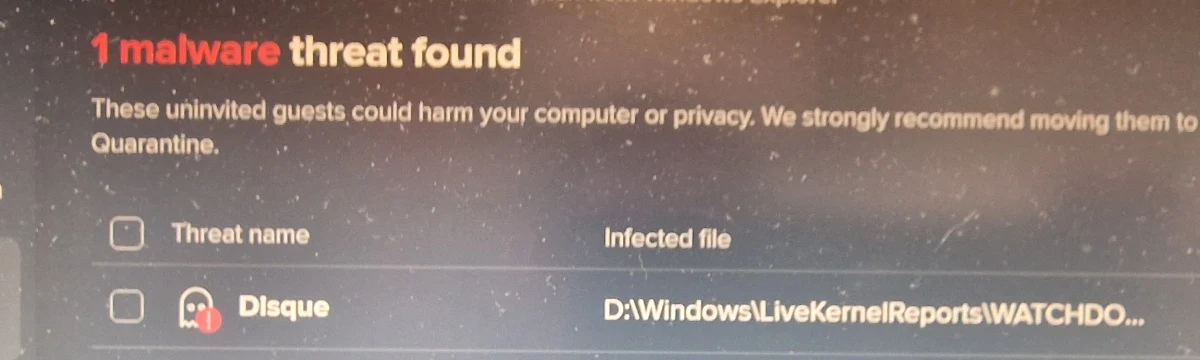
The scan found a single threat. The engine reported the threat name as Disque, and the infected file sat in the Windows\LiveKernelReports folder, which is an ordinary Windows crash-dump directory rather than anywhere a user would look.
Microsoft's Security Intelligence encyclopedia classifies the same detection as Virus:DOS/Disque, and describes the behaviour as system degradation, file manipulation, desktop interference and reduction of available storage.
Worth being precise about the label, because it changes who you should call. This was a file-infecting virus that wrecked an installation and left the user locked out of her own machine. It was not a ransomware negotiation, there was no ransom note and no exfiltration claim. The effect on the business was identical to any other lockout: no website, no bookings, no files, no work.
By the time the drive was examined, the Windows installation was past cleaning back into service.
What was tried, in order
1. Windows recovery media. Disque had corrupted core Windows files past the point where the machine would start at all, so the first move was recovery media. That produced a clean Windows installation. The clean installation was reinfected from inside the machine, and the owner was locked out again.
2. Remove the drive. Do not boot the patient. The drive came out of the laptop and went into a sandboxed machine as a secondary device, so nothing on the infected install was ever allowed to execute. Booting a suspect machine to "have a quick look" is how an infection reaches the next thing, and it is the step most often skipped when someone is in a hurry.
3. Recover what cannot be replaced, before rebuilding. The drive was wrecked but not silent. File carving ran against it and recovered the irreplaceable material: event photography, business documents, working files. At 38% through the scan the tool had already recovered more than 22,600 files, and reported no overwritten clusters. An operating system can be reinstalled by anyone. Photographs from a client's event cannot be retaken.
4. Rebuild from scratch. Watch it happen again. With the data safe, the drive was rebuilt from nothing. That fresh install reinfected as well.
Recovery media, clean install, reinfected. Full rebuild, clean install, reinfected. Two clean builds, the same result, and nothing left on the drive that could explain it.
The cause: a 16GB module nobody was imaging
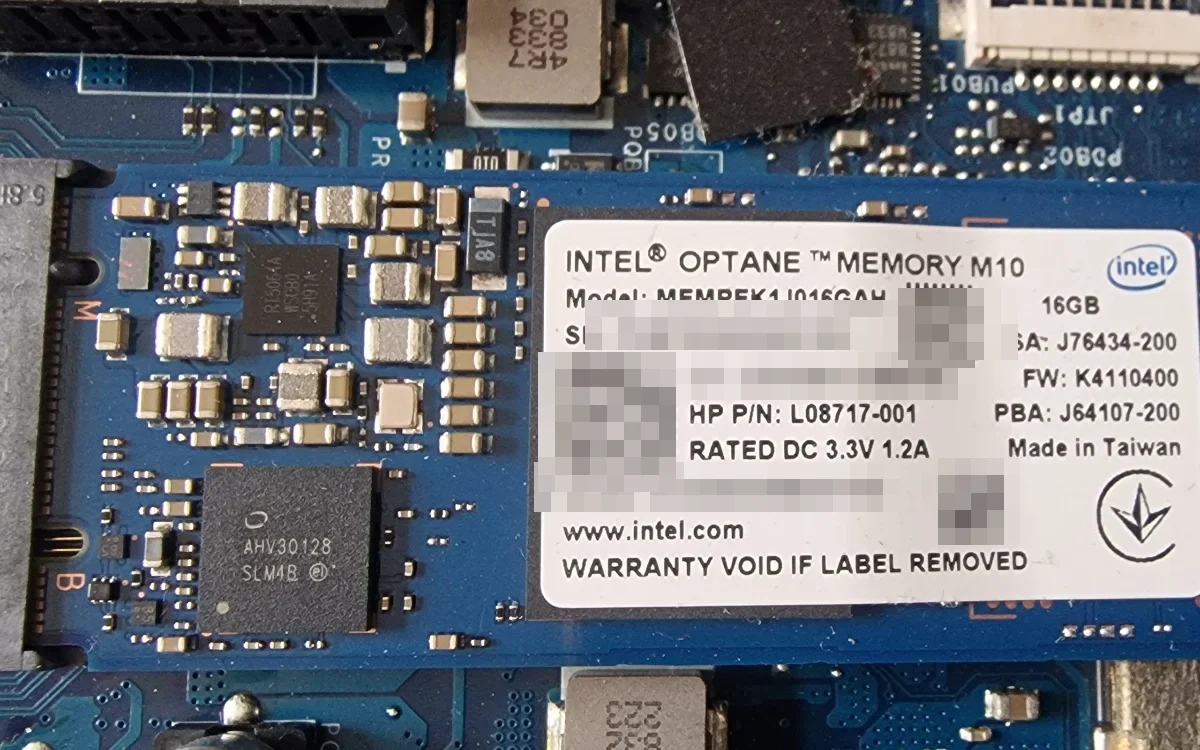
The laptop was an HP Pavilion Gaming 15-cx, and like a great many machines of that generation it shipped with a small solid-state cache module alongside the main drive:
Intel Optane Memory M10, 16GB, M.2
Model MEMPEK1J016GAH, HP part number L08717-001
Sixteen gigabytes, fitted to accelerate applications and games, invisible in normal use, and never part of anybody's mental model of "the disk".
The infection was resident on it. Wipe the main drive, rebuild Windows, boot the machine, and the cache module is still in the chassis, still populated, still trusted, still infected. The rebuild was clean. The machine was not.
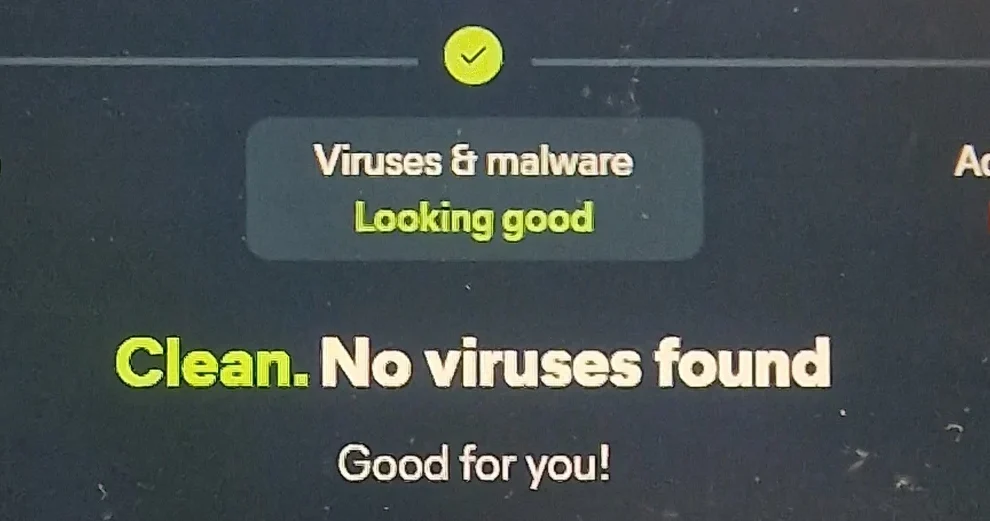
The module came out. The build went onto a new Samsung SSD, and from that point the machine held: no reinfection, and a clean scan.
Why this matters at 400 devices, not one
A single laptop is an afternoon. The same failure across an estate is a reinfection loop your service desk will misdiagnose as "bad image" or "user error" for weeks, while the tickets keep coming back.
Intel Optane Memory shipped in volume in OEM consumer and business machines from roughly 2017 to 2021. If your estate contains hardware of that vintage, some of it has a cache module in it right now. Three questions are worth asking about your own rebuild standard.
1. Does your build process assume one disk per machine?
Most do, because most fleet builds were designed around a single system drive and a standard image. That assumption is wrong on more real devices than people expect:
- Intel Optane or NVMe cache modules fitted for acceleration
- Secondary SSDs in workstations, engineering laptops and gaming-class hardware
- Hybrid drives with onboard flash cache
- eMMC storage on low-cost devices alongside an upgraded main drive
- Vendor recovery partitions that survive a standard wipe by design
- Dock-attached storage that was present at the time of infection
Every one of those persists through a wipe of the drive you were thinking about.
2. How do you prove a rebuild is clean?
"The image applied successfully" is not proof. Neither is "it boots". Both were true, several times over, while this machine was actively reinfecting.
The verification that catches it is unglamorous: enumerate the physical storage devices before and after the rebuild, and confirm every one has been handled. Devices, not partitions. A cache module does not appear as a drive letter and will not show up in the partition list a technician glances at.
3. Who owns the data before the machine is wiped?
A rebuild standard that goes straight to wipe destroys the only copy of anything not synced. For a business owner that is the loss that actually hurts. Across a corporate estate it is the difference between an inconvenience and a formal data loss incident.
The second half of the job: stable is not the same as usable
A machine that boots but crawls is still a machine nobody can work on. The original drive was an ageing SATA disk, and it showed.
That is why the rebuilt install went onto a new Samsung SSD rather than back onto the old disk. Boot time fell by roughly three times. She was working again the next day, on a machine noticeably faster than it had been before any of this started.
That is the difference between closing a ticket and restoring a person. If your EUC support contract defines success as "device returned in working order", it is worth asking what "working" means and who gets to decide. We make the same argument about accidental damage in what good EUC support actually does.
What to put in an EUC contract
Four clauses worth adding explicitly at your next renewal:
- Storage enumeration. Every physical storage device in a machine is enumerated and accounted for before and after any rebuild, and recorded.
- Data preservation before wipe. A defined recovery attempt with a defined effort ceiling, before any destructive step.
- Verification criteria. Stated evidence that a rebuilt device is clean, beyond the image applying successfully.
- Performance acceptance. A minimum usable standard on return, not a power-on test. Boot time and login time are easy to measure and hard to argue with.
A note on what this was and was not
This was not a cyber security engagement. Nobody was threat hunting or negotiating with anybody. It was a business continuity problem that happened to have malware as its cause, and the objective was never "understand the attacker". It was "get this person back to work with her files intact".
That distinction matters when you are deciding who to call. A security practice will tell you what happened. What a small business, or a stretched IT team, usually needs first is somebody who will put the device back in the user's hands with the data on it, and make it stay fixed. That is the whole of our service range, from a single laptop to an estate.
Check what your rebuild standard actually verifies
Bring your device mix, your build process and what you currently accept as proof that a rebuilt machine is clean. We can help identify the gaps worth closing.
Scope rebuild verification and device recovery.Or pick a time in the diary for a 15-minute scoping call.